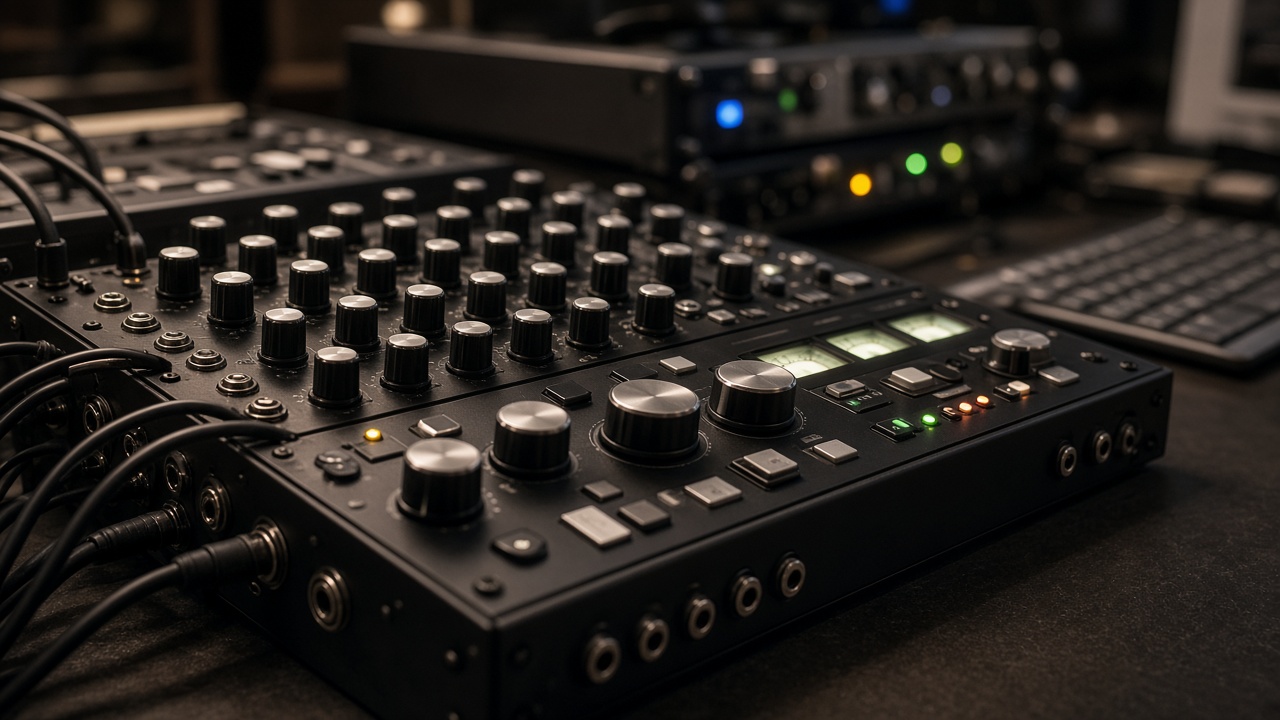
Why VST3 and Audio Units still matter in an AI-native DAW
AI that ignores your plugins generates someone else’s timbre. Real production intelligence routes through the instruments you already trust.
Every few product cycles, someone declares plugin formats obsolete. Cloud instruments, all-in-one subscription suites, and prompt-based audio all suggest you might stop caring about VST3 and Audio Units. Then a professional opens a session: eight buses of character compressors, a modular synth with proprietary expansion, a drum layer that only exists because of a specific transient shaper—and the argument collapses. Formats are not nostalgia. They are the contract between your DAW and a decade of sonic investment.
An AI-native DAW does not replace that contract. If anything, it needs it more urgently. When a coproposer suggests a bass line, you want the line played through your chain, with your saturation, your filter mapping, your sidechain source. Without host-level plugin support, AI becomes a generic render farm attached to your workflow.
What VST3 and AU actually guarantee
VST3 and Audio Units standardize how instruments and effects embed in a macOS host: parameter automation, sidechain routing, multi-output drums, preset management, and process suspension when tracks freeze. VST3 improved silence handling and bus semantics over older APIs; AU remains deeply integrated with Apple’s audio stack and is often the first format updated for new macOS releases.
Producers rarely argue about APIs in the abstract—they argue when a session fails to recall because a path broke or a license did not travel. Strong hosting means reliable scan, sandbox-aware loading on modern macOS, and predictable PDC behavior when chains get wide.
Your sound library is not a list of plugins. It is the graph of how those plugins are wired—something only a real host can reproduce.
Why “built-in only” AI hosts fall short
Hosts that ship a closed instrument set can demo beautifully. They struggle in professional sessions where the identity of a record lives in third-party choices: character reverbs, tape emulations, bespoke EQ curves, niche physical models. Moving AI suggestions into those chains manually—re-amping MIDI through the right track, copying automation by hand—reintroduces friction the AI was supposed to remove.
Built-in-only also complicates collaboration. Your partner’s signature snare might depend on an AU you both own; a walled garden forces a lowest-common-denominator tone or destructive bounces before sharing. Plugin-open hosts keep creative parity.
AI should target tracks, not imaginary instruments
Useful AI in production understands track semantics: this lane is the sub-heavy bass, that lane is a MPE lead, the drums are multi-out with parallel compression on a bus. Suggestions should attach to those contexts. That requires the host to expose track type, routing, and active plugin instances to the assistance layer—not only a downmixed preview.
When AI listens through a bounce, it loses insert-level detail. When it listens through the graph, it can propose modulation or note changes that survive your next tweak to the wavetable position. That is the difference between generative wallpaper and coproduction.
Collaboration multiplies plugin stakes
Shared sessions amplify any hosting weakness. One editor swaps an insert while another automates the same parameter; a missing plugin on a guest machine silently changes groove pocket. Collaborative DAWs should surface incompatibility immediately and support manifests so teams agree on required formats before writing.
Remote partners on macOS overwhelmingly standardize on a mix of VST3 and AU. A product that treats plugins as second-class will push teams back to stem mailouts—the opposite of realtime collaboration.
Performance, Apple Silicon, and scanning hygiene
Apple Silicon rewards native binaries and sane plugin folders. Bloated scan paths, duplicate vendor installs, and rogue validation failures steal minutes before every session. Maintain a curated plugin directory, document which formats you standardize on per instrument, and freeze heavy chains on the host when guests join primarily for MIDI edits.
AI features should respect frozen state: suggestions on MIDI upstream of a frozen print, not fantasies about editing inside offline renders unless you explicitly expand the freeze.
Questions to ask any “AI DAW”
- Does it load your VST3 and Audio Units with reliable automation recall?
- Can AI output land on instrument tracks using those plugins—not generic audio?
- How are missing plugins reported to collaborators before they audition edits?
- Do multi-out drums and sidechains survive shared sessions and undo?
- Is the engine local and macOS-native for latency-sensitive monitoring?
- Does the product avoid positioning itself as a browser mastering or song-gen toy?
Practical hygiene for long sessions
Commit to track templates with pre-wired buses, color coding for plugin-risk lanes, and notes on licenses that must exist on guest machines. Version your template when you add a new critical AU; don’t assume everyone updated silently. For AI passes, snapshot before bulk accept so you can compare harmonic intent against the same plugin state.
These habits cost minutes up front and save hours when a bridge must change the night before a client listen.
Cuepoint Studio’s stance
Cuepoint Studio is a professional AI-native collaborative DAW for macOS with serious VST3 and Audio Units support, a local engine, shared sessions, and an in-project AI coproducer. It is built for producers who already have a plugin graph—not for replacing your instruments with anonymous cloud renders.
Dive into plugin hosting, see how the studio fits your template, and try your chains through download before the next co-write.
Teaching collaborators your signal flow
Plugin graphs are personal until they become team infrastructure. Export a one-page routing diagram for repeat partners: where the kick sidechain lives, which aux returns are fair game for guests, which master inserts are locked. Pair it with a short screen recording walking through your default trim points. That upfront teaching beats emergency voice notes during a session when someone ducks the wrong bus.
When AI suggests new MIDI, partners should know which downstream inserts define approval—if the bass must pass a particular saturator to be “real,” audition suggestions with that chain enabled, not with a flat monitoring path you never use in finals. Format support is not abstract; it is the guardrail that keeps those auditions honest across every machine in the roster.
Revisit the manifest quarterly. Vendor updates, Apple OS releases, and license seats change faster than album cycles. A fifteen-minute audit prevents the two-hour rescue session the night before mastering.
Treat unsupported legacy formats as archival risk, not active workflow: migrate missions-critical chains to VST3 or AU binaries your whole roster can open.
When benchmarking AI features, load the same plugin-heavy template you use for human co-writes; empty sessions flatter every host unfairly.
Reserve one “sandbox” instrument track for risky plugin betas so production chains on neighboring buses never inherit instability during a collaborative deadline week.
Teach interns and assistants the manifest before they troubleshoot missing sounds; guessing wastes hours on licensing that documentation would have prevented.
Formats outlive hype cycles; invest in hosts that treat VST3 and AU as permanent citizens, not optional extras.
Future-proofing your instrument rack
Before you adopt any new host, open your heaviest song—the one with nested sends, sidechains, and obscure effects—and confirm every chain recalls. Do the same after an OS update. Plugin formats are only “future-proof” when your daily driver respects them on Monday morning after a weekend away from the studio.
AI features that ignore your rack treat sound like a commodity. AI features that listen through your rack treat timbre as a decision only you and your collaborators should finalize.
KEEP READING
You might also like
How to use AI in music production without losing control ↗
Preview, compare, undo. Keep creative judgment with the producer while AI proposes editable options.
Electronic music production on macOS: what a modern DAW must do ↗
Arrangement, MIDI, mixing, plugins, and performance—what electronic producers should demand in 2026.
Shared sessions explained: presence, editing, and listening ↗
How collaborative DAWs show who is editing what—and why listening together is different from zero-latency jamming.