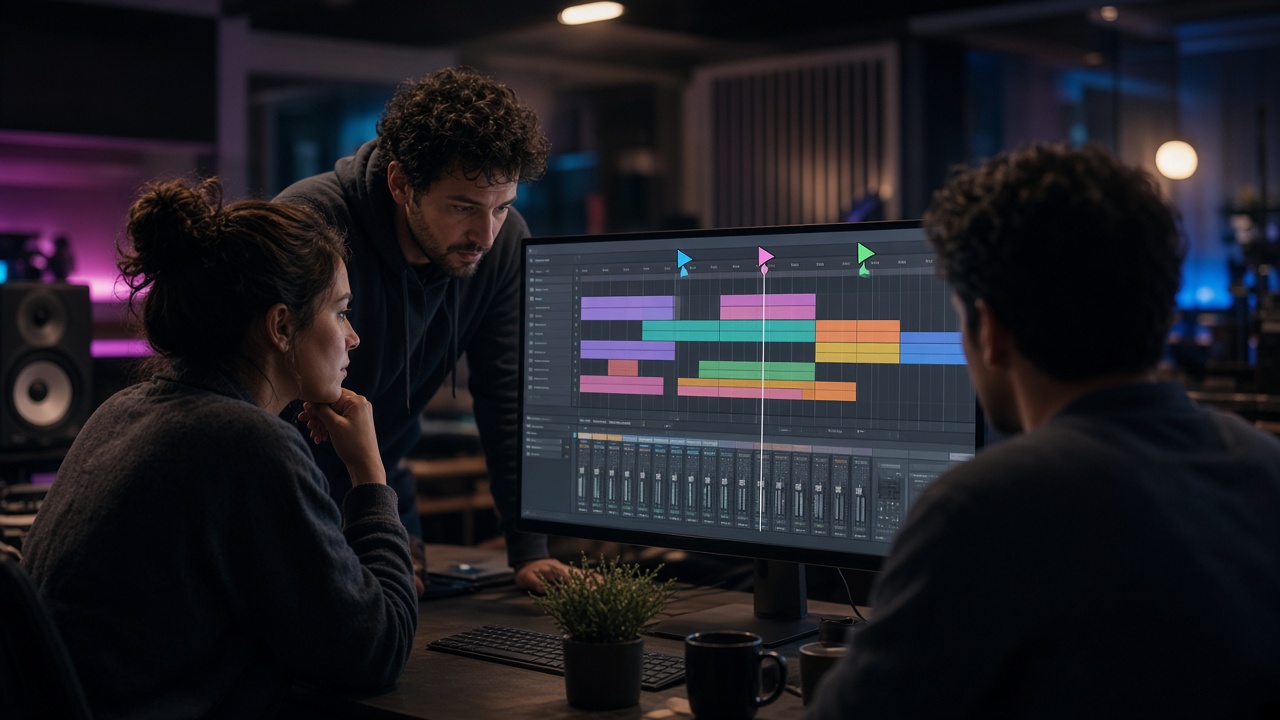
Shared sessions explained: presence, editing, and listening together
A shared session is a live project room—not a download link—with rules for who hears what and who may change which tracks.
“Shared session” gets used for everything from screen-sharing a DAW to dropping a project in cloud storage. In a collaborative production context, it means something tighter: multiple people connected to the same song document with synchronized transport, visible presence, and edit rules that keep the timeline coherent. Listening together without sharing edit rights is valid; co-editing MIDI on separate tracks is the deeper promise. Both beat emailing stems every hour.
Understanding the three pillars—presence, listening, editing—helps teams choose tools and etiquette before creativity starts. Shared sessions fail when software treats multiplayer as a marketing sticker instead of undo semantics, plugin parity, and latency honesty.
Presence: who is in the room
Presence answers basic orientation questions: who joined, who is hosting CPU-heavy instruments, who might be idle versus actively editing. Good presence UI shows avatars or names tied to playhead focus, not a chat sidebar bolted on. It also signals permissions at a glance—this guest is listen-only, this partner can edit drums but not master bus.
Presence is psychological as much as technical. When collaborators see each other in the same document, feedback tightens; bar references mean the same thing; fewer “wait, which version?” detours interrupt flow. Without presence, you are just sharing files quickly.
Listening together: transport and local audition
Synchronized listening means shared play/stop, aligned loops, and scrubbing behavior everyone understands. When one person solos a vocal, policy decides whether others follow or maintain their own monitor mix. Low latency is not optional for writing; it is negotiable for mixing, but the UI must say when someone is in local audition versus group transport.
Listen-only participants are underrated: A&R, writers reviewing toplines, mixers auditing gain staging without touching inserts. They still benefit from realtime context more than from static bounces.
Shared listening is worthless if two people think they are on the same downbeat but one scrubbed locally thirty seconds ago.
Editing together: permissions and conflicts
Co-editing is where collaborative DAWs differentiate. Can two people adjust different tracks simultaneously without corrupting undo? What happens if both grab the same MIDI clip? Are there track locks, branch workflows, or transparent merge rules? Professional tools anticipate collisions; amateur ones treat last-write-wins as acceptable.
Permissions should map to musical roles: arranger, sound designer, writer, engineer, guest listener. Master bus and vocal comp tracks often stay restricted while percussion and synth lanes stay open. AI assistance needs the same boundaries—machine suggestions should not bypass locks.
How shared sessions differ from file sync
Cloud sync of project folders solves backup, not necessarily creative simultaneity. Two people opening the same folder without session semantics still risk split-brain: duplicate copies, conflicting autosaves, ambiguous merge. A shared session coordinates authority—who hosts, what state is canonical, how reconnect works after a dropout.
Exports and collect-all workflows remain useful at milestones. They should not be the default handshake for every micro-decision during a co-write.
Plugins and hosting in multiplayer
Shared sessions amplify plugin reality. Missing instruments on a guest Mac should surface immediately, not as a quiet substitute preset. Host on the machine that runs the heaviest chains when possible; freeze or document substitutions when parity fails. macOS teams leaning on VST3 and Audio Units need manifests everyone agrees to before the session opens.
When AI generates MIDI into shared lanes, history should attribute the change so humans can revert without guessing.
Etiquette that keeps sessions productive
- Assign roles and permissions before playback, not after the first argument.
- Call out bar numbers tied to transport; avoid vague “in the chorus” unless markers align.
- Use duplicate playlists or branches for risky experiments instead of fighting on one lane.
- Declare local audition when checking details off the group grid.
- Host on the stablest machine and connection when running dense plugin loads.
- Rejoin after drops without spawning duplicate projects; confirm transport alignment.
Failure modes to watch for
Watch for mystery compression on every playhead update, full-project re-uploads on minor edits, undo that only works for one editor, and AI commits that bypass preview. Watch for ambiguous solo behavior that leaves one person monitoring a different section. Any of these push teams back to stem mail—defeating why you opened a shared session.
Test your densest arrangement before the critical co-write. Surprises should happen in harmony choices, not in infrastructure.
Shared sessions in Cuepoint Studio
Cuepoint Studio is built as a professional AI-native collaborative DAW for macOS: local engine, VST3/AU, in-project AI coproducer, and shared sessions where presence, listening, and editing are first-class—not bolted onto a single-user undo stack.
Read the dedicated collaboration overview, connect it with studio workflows, and experience a live room via download.
Scaling from duo to small room
Duo sessions are the proving ground; trios and quartets stress permissions harder. Add participants gradually: first listen-only feedback, then single-lane editors, then parallel MIDI on non-adjacent sections. Debrief after each tier upgrade. Note where solo semantics confused someone or where AI commits needed an extra preview step. Scaling social protocols prevents the chaos that makes veterans refuse shared sessions after one bad night.
Consider time-boxed “silent editing” intervals followed by group playback. Continuous simultaneous typing on the timeline mimics bad pair-programming; music benefits from alternating focused edits and shared listening. Presence UI should make those phases obvious so nobody talks over a critical edit window.
Security and comfort for invited guests
Guests need confidence their mic is muted, their local files are untouched, and their view is listen-only unless promoted. Hosts should narrate permissions at join: “You can hear group transport; only Jordan edits drums.” Clarity reduces anxiety for features and managers who rarely open DAWs but still shape decisions.
Logs matter for disputes—not paranoia, professionalism. When a bar range mysteriously shifts, history should show human or AI actors. Teams that trust logs invite guests back; teams that mystery-edit do not get second sessions.
Start every hosted session with a ten-second permissions recap, even for regular partners; muscle memory drifts across months between projects.
End sessions with a single agreed marker name for the state you will reopen tomorrow, so presence tomorrow picks up emotionally where presence tonight left off.
Practice dropout drills: intentionally disconnect, rejoin, and verify transport on a downbeat everyone recognizes. Teams that rehearse infra recovery lose less time when real Wi‑Fi fails mid-hook.
Pair shared sessions with brief written summaries—five sentences max—in your project chat after long writes so async partners orient without replaying three hours of audio.
Color-code presence roles in your template legend so new guests instantly know whether they are listening, suggesting, or editing.
Celebrate small infra wins—one co-write with zero stem exports is a milestone worth noting when you are building a remote roster.
Shared sessions reward patience; presence grows easier after the third successful rejoin, not the first.
Onboarding a first-time collaborator
Spend the first ten minutes on presence mechanics before you chase inspiration: confirm sync, test talkback, show how to follow transport, and point to which tracks are writable. New partners who understand the room stay creative; new partners who guess permissions create accidental edits that eat the hour.
Shared sessions become culture when veterans narrate small actions—“muting my phones,” “branching this chorus”—so beginners learn the etiquette that keeps everyone hearing the same truth.
KEEP READING
You might also like
DAW buying guide 2026: local engine, plugins, AI, collab ↗
A checklist for choosing software when AI features and remote collaboration are on the table.
What Cuepoint Studio is (and isn’t) ↗
A professional collaborative DAW with an AI coproducer—not a browser song generator or mastering-only service.
Best ways to collaborate on music in real time ↗
Stop sending project files back and forth. Here’s how shared sessions, presence, and version history change remote production.