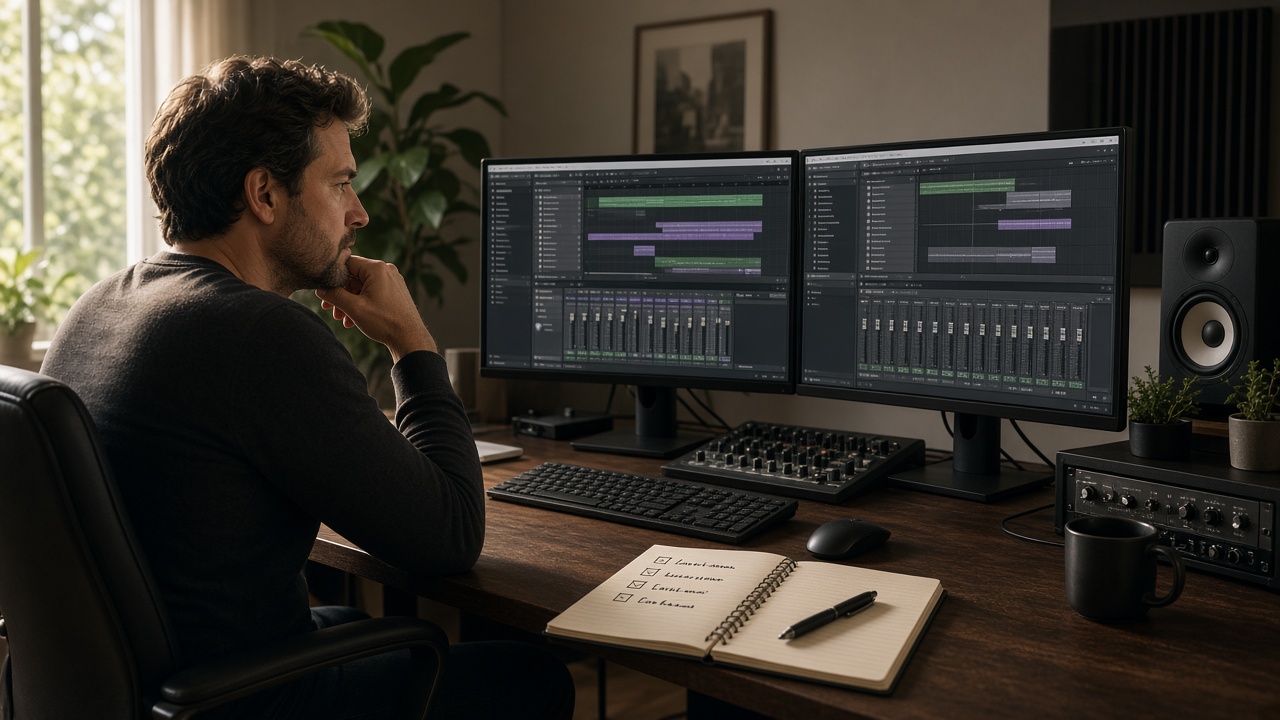
DAW buying guide 2026: local engine, plugins, AI, and collaboration checklist
Choosing a host in 2026 means weighing how you actually finish records—not just which stock synth demo sounds best in a YouTube shootout.
Buying a DAW used to mean comparing audio track counts and bundled reverbs. In 2026, producers also ask whether the host supports realtime co-editing, how AI assistance lands on the timeline, and whether a local macOS engine can still run dense electronic templates without kneecapping monitoring latency. Cloud sketch tools and prompt generators crowded the conversation, but most finished records still pass through a multitrack document with plugins, automation, and mix intent.
This guide is a decision checklist—not a crown for a single winner. Use it to score candidates against your pipeline: solo electronic albums, remote co-writes, hybrid pop, or client scoring. The right DAW is the one that fails least often on your non-negotiables.
Start from workflow, not brand loyalty
List how you spent the last three projects: hours in arrangement versus comping, how often partners edited simultaneously, whether AI was involved and where it helped or hurt. Loyalty to a familiar host is rational until it blocks collaboration or forces AI outside the session. Migration costs are real; so is the tax of weekly stem exports.
Weight the next twelve months, not the last decade. If you are about to scale remote sessions, collaboration features belong near the top of the scorecard. If you perform clips live exclusively, prioritize hosts that already excel there—even if that means a hybrid two-host setup.
Local engine and macOS fit
A local engine keeps monitoring predictable and your project file on hardware you control. For macOS producers in 2026, native Apple Silicon support is baseline. Audit buffer behavior, reversible freeze, and honest CPU meters on your template, not a blank demo. Rosetta-dependent hosts are harder to justify for new flagship workflows.
Offline cloud rendering can supplement, but it should not replace in-session editing of MIDI, automation, and plugin chains. If the product positions itself primarily as a browser generator or mastering appliance, classify it separately from a DAW decision.
Buy the host that survives your worst session—the one with twelve reverbs, six parallel drum buses, and a vocalist tracking remotely.
Plugin hosting: VST3 and Audio Units
Your sonic identity likely lives in third-party VST3 and Audio Units instruments and effects. Candidates must scan reliably, preserve automation, handle sidechains and multi-out drums, and report missing plugins before collaborators audition changes. Built-in stock libraries are convenient; they rarely replace professional chains.
Ask how collaborative sessions behave when one machine lacks a license. Substitution should be explicit, not silent. Read more detail in our plugin-focused journal piece, but during buying, run your heaviest insert graph first.
AI: where it lives in the product
AI in 2026 splinters into prompt-to-audio toys, assistive mixing features, and in-project coproducers that output editable MIDI on instrument tracks. Match the category to your need. If you want arrangement help without losing control, favor hosts that preview suggestions, respect track locks, and route through your plugins—not tools that only return stereo files.
In collaborative teams, AI edits must appear in shared history with undo everyone trusts. Black-box changes are disqualifying for co-writes with clear credits.
Collaboration: beyond file sync
Cloud backup is not the same as shared sessions. Score synchronized transport, listen-only roles, edit permissions, conflict handling, and rejoin behavior after network drops. If undo only works for one editor, you have expensive file sync, not collaboration.
Test with a partner on a dense section before you commit a label schedule. Surprises should be musical, not infrastructural.
2026 buying checklist
- Native Apple Silicon performance on your real template, not a demo song.
- VST3/AU stability: sidechains, multi-out, automation recall, missing-plugin reporting.
- Reversible freeze/resample and truthful latency/CPU feedback.
- Shared sessions with presence, permissions, and multi-editor undo semantics.
- In-project AI with preview, MIDI output, and track lock respect.
- Clear separation from browser song-gen / auto-mastering-only products if you need a DAW.
- Migration path: archival in old host, active projects moved deliberately.
Red flags and marketing mirages
Be wary of vague “AI studio” language with no track-level detail, multiplayer buttons with no permission model, subscription lock-in without export portability, and benchmarks on empty sessions. Be wary of claiming to replace every specialized tool—DAWs should be honest about mastering, scoring, or live performance gaps.
Healthy products document limitations: when to export stems, when to branch songs, when hosting should move to the heavier machine.
Budget, licensing, and team seats
Individual producers weigh perpetual versus subscription differently than teams coordinating seats and collaboration add-ons. Count the true cost of plugins you still must license separately. A cheap host that pushes you into stem-only collaboration may cost more in time than the license delta.
Trial downloads can de-risk migration if they let you load production templates and run a co-write before public release pricing locks in.
Where Cuepoint Studio lands on the checklist
Cuepoint Studio is a professional AI-native collaborative DAW for macOS: local engine, VST3/AU, shared sessions with presence and editing, and an in-project AI coproducer. It is not positioned as a browser song generator or mastering replacement—it targets producers who need the four checklist pillars together.
Cross-reference studio capabilities, AI design, and collaboration, then run this checklist on your material via download.
Documenting your decision for the team
When a label or studio committee picks a host, write a short decision memo: scored requirements, pilots run, known gaps, migration timeline, and which legacy projects stay archived elsewhere. Memos prevent relitigating the choice every quarter when a new plugin trend appears. They also clarify what the DAW is not responsible for—mastering facility, live backline, scoring—so producers do not resent a tool for missing a job it never claimed.
Revisit the memo annually against real shipped records, not hype cycles. If most finished releases still required stem heroics outside the host, collaboration or AI integration failed the checklist even if solo writing felt fine. Buying decisions should track shipped outcomes.
Accessibility and onboarding for new collaborators
A DAW purchase is also a collaboration purchase when rosters rotate. Favor hosts with approachable permission UI, readable session logs, and onboarding that does not assume everyone knows your keyboard shortcuts. Training time is a hidden cost in buying guides that only list CPU benchmarks.
Record a five-minute internal video for your team: how to join, how to request edit rights, how to flag AI previews. Repeatable onboarding beats assuming your third co-writer magically knows your export superstitions from 2019.
Print the checklist to your studio wall, not only your purchase doc—buying is day one, but adherence is every session afterward.
Solo pilots lie; duo pilots reveal hosting truth. Never sign a team contract on a host only one person touched during a lunch break trial.
Save bounced references from your incumbent host before migration so subjective A/B stays honest after the honeymoon week.
After you buy: the first 30 days
Week one is template and routing. Week two is one real co-write or client job, not a demo song. Week three is stress-testing plugins you cannot live without. Week four is a retrospective: Did collaboration reduce exports? Did AI stay inside your decisions? Did the local engine feel dependable? If two answers are no, fix workflow before you buy more gear to compensate for software friction.
A buying guide is only useful when followed by honest measurement. The best DAW in 2026 is the one your roster will actually open together on Tuesday.
KEEP READING
You might also like
What Cuepoint Studio is (and isn’t) ↗
A professional collaborative DAW with an AI coproducer—not a browser song generator or mastering-only service.
Best ways to collaborate on music in real time ↗
Stop sending project files back and forth. Here’s how shared sessions, presence, and version history change remote production.
AI music tools vs an AI coproducer inside your DAW ↗
Prompt-only generators finish a file. An in-session coproducer works on your tracks, MIDI, and plugins.