AI music tools vs an AI coproducer inside your DAW
Browser generators and one-shot AI songs solve a different problem than production software that understands your tracks, plugins, and arrangement.
The last few years split “AI music” into two camps that sound similar in marketing but feel nothing alike in a session. On one side are standalone tools: type a prompt, wait for a finished loop or full song, download audio, and figure out how it fits your record. On the other side is an AI coproducer embedded in a real digital audio workstation—something that can read your chord progression, suggest a counter-melody on the instrument you already chose, and leave editable MIDI on the timeline instead of a flattened wave file.
For producers who live inside arrangements, bus routing, and custom synth patches, the distinction matters more than raw audio quality. A gorgeous AI stem you cannot reharmonize is a reference track, not a collaborator. An AI that operates on the same undo stack as you do—while respecting VST3 and Audio Units instances—is closer to a skilled session player who knows your template.
What most AI music tools optimize for
Prompt-to-audio products optimize for speed and novelty: get something listenable in seconds, share it, iterate in natural language. That is useful for ideation, placeholders, and content workflows where the final asset never returns to a multitrack session. They typically render to stereo (or stems with fixed instrumentation), live outside your plugin ecosystem, and do not know your song’s formal structure beyond whatever you typed.
They also tend to hide the “how.” You rarely see note-level decisions, modulation assignments, or gain staging that you can tweak. When you import the result, you are editing audio—or replacing the idea entirely—not continuing a compositional thread. That is fine when the deliverable is the bounce; it is frustrating when you are two hours into a co-write and need a bass line that locks to existing kick syncopation.
What an in-DAW coproducer is trying to be
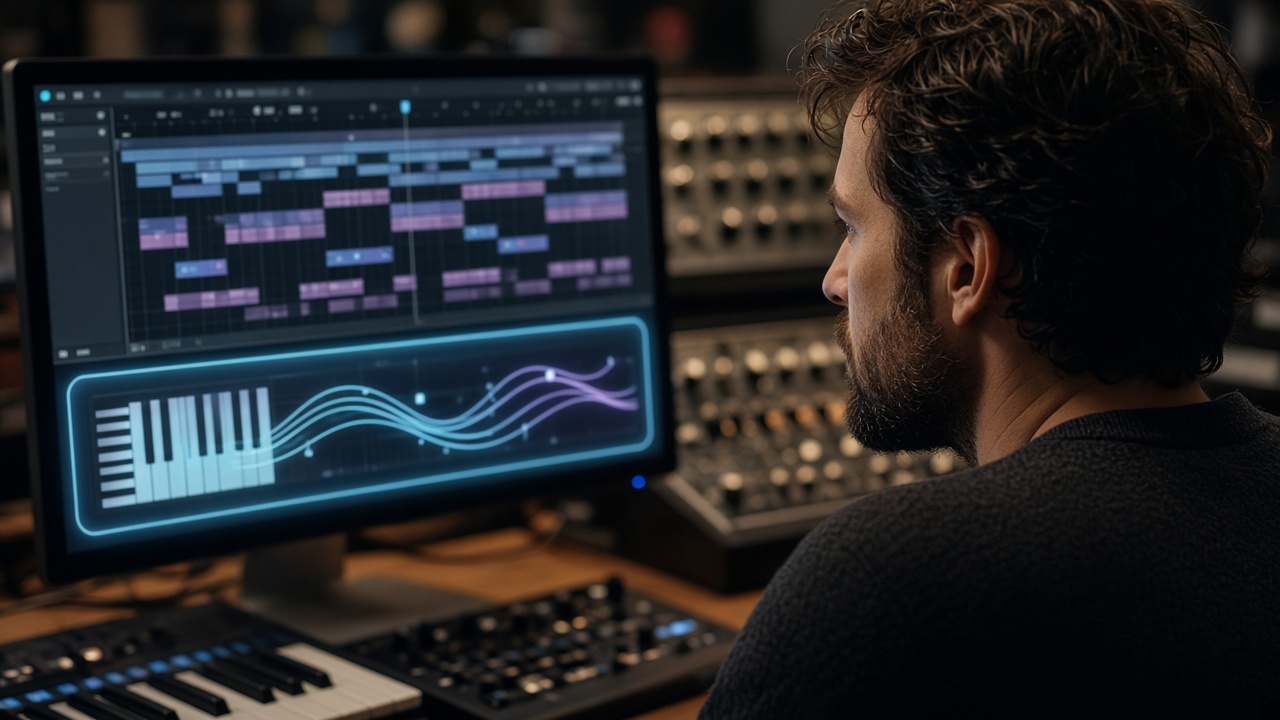
An AI coproducer inside a DAW assumes the project already exists: tempo map, markers, instrument choices, mix context. Its job is to propose musically adjacent moves—fill patterns, harmonic substitutions, arrangement trims—that you accept, reject, or edit like any other clip. The output should land as MIDI or automation on tracks you own, routed through plugins you trust, so loudness and timbre stay in your sonic world.
That integration changes the feedback loop. Instead of “generate another version,” you say “double the hi-hat grid here, but keep the snare pickup from bar 17” and you verify in context with your saturator and room reverb still in chain. The coproducer does not replace mixing or mastering; it reduces blank-canvas paralysis during writing and arrangement.
The useful test is not whether AI can make a song. It is whether AI can move your current song forward without breaking the parts you already committed to.
Creative control: ownership of decisions
Creative control is not anti-AI. It is clarity about which decisions stay human-led. Producers often want AI for variation and friction removal—chord inversions, draft counter-lines, rhythmic alternatives—while keeping signature choices: the kick sample, the vocal comp, the arrangement arc. Tools that only export audio force an all-or-nothing accept/reject. In-DAW suggestions preserve partial acceptance: take bars 9–16 of a generated bass, hand-edit the pickup, delete the rest.
Look for interfaces that show proposals as diffs or ghost regions before commit, support granular undo, and never silently overwrite locked tracks. If the AI cannot see your track permissions or solo context, its suggestions will fight your session hierarchy.
Plugins, tone, and why the host matters
Your sound is largely your plugins. A generic AI render bypasses the expensive character you built: modular chains, MPE synths, tuned drum buses. A coproducer wired to the host can target the instrument on track four—not an imaginary stock patch—and hear the same monitoring path you do. On macOS, that means serious support for VST3 and Audio Units, not a walled garden of built-in modules only.
When evaluating AI features, ask whether suggestions survive plugin swaps, whether automation lanes stay coherent, and whether frozen tracks are respected. If the AI only “hears” a premix bounce, you are back to offline generation with extra steps.
Collaboration and the third chair
In shared sessions, AI becomes a third participant with special rules. Human collaborators need to see what the coproducer changed, who approved it, and whether it can run while others edit adjacent tracks. A browser generator cannot sit in that workflow; at best, one person imports files and narrates what changed. A collaborative DAW can treat AI actions like audited edits—visible in history, revertible, and bounded by permissions.
That matters for remote co-writes where trust and version clarity already strain under file transfers. AI should not become a hidden author of the project file.
Practical checklist for producers
- Decide whether you need finished audio or editable material in the session.
- Prefer AI that outputs MIDI and respects your instrument tracks and buses.
- Confirm undo, track locks, and preview before commit for every suggestion.
- Test AI while your go-to VST3/AU chains are loaded—not on a blank demo project.
- If you collaborate, verify other editors can see and revert AI-driven changes.
- Keep prompt tools for sketches; move serious arrangement work into the DAW.
Where Cuepoint Studio fits
Cuepoint Studio is a professional AI-native collaborative DAW for macOS—not a browser song generator or automated mastering service. Its AI coproducer is designed to work inside your project alongside real-time shared sessions, a local engine, and the plugin formats producers already rely on. If you are comparing AI music tools, weigh how each option handles arrangement continuity, plugin context, and multiplayer etiquette—not just headline generation speed.
Read more about AI in the studio, see the full workflow, and try your own templates via download when you want AI at the editing surface instead of outside it.
When a hybrid stack still makes sense
Many producers keep a prompt tool for morning sketches—mood boards, lyric phrasing, reference tempos—then move serious structure into the DAW by midday. That split is healthy when boundaries are explicit: nothing committed to a client milestone lives only in a web tab without MIDI provenance. Set a rule that arrangement decisions must exist on named tracks before a review call, and treat prompt output like scratch paper you are allowed to ignore.
The unhealthy hybrid is endless round-tripping: generate audio, align by eye, regenerate, realign, lose sync with your reference vocal. Each hop discards metadata your mix later depends on. Consolidating inside one host with plugins and AI on the same undo stack usually costs less time than juggling three logos on the dock, even if you still open a separate editor for mastering or specialist tuning.
If you audit a month of work and find most shipped bars originated as editable MIDI on instrument tracks, you are already thinking like an in-DAW coproducer user. If shipped bars are mostly aligned WAV imports, your bottleneck is integration—not model quality.
Measuring the right outcome
Track how many finished sections still contain editable MIDI and instrument chains you can transpose or reharmonize. That metric tells you whether AI is part of your production instrumentarium or just a render farm. Producers who treat generation as disposable audio often restart songs when feedback requests a key change; producers with an in-DAW coproducer adjust harmony in the same afternoon.
Audit your last three releases honestly. If integration time exceeded creation time, the bottleneck is workflow architecture. A professional AI-native DAW should shrink that gap by keeping suggestions, plugins, and human edits on one timeline—not by adding another tab that does not know your drum bus exists.
KEEP READING
You might also like
Ableton Live alternatives for AI and collaboration ↗
What to look for if you need a serious DAW plus AI assistance and realtime collab—not just another Live clone.
Remote music production workflow that stays in sync ↗
A practical checklist for MIDI, plugins, versions, and listening together when your band is not in one room.
Why VST3 and Audio Units still matter in an AI-native DAW ↗
Your plugin rack is your sound. AI should work with it—not replace it with a closed library.